
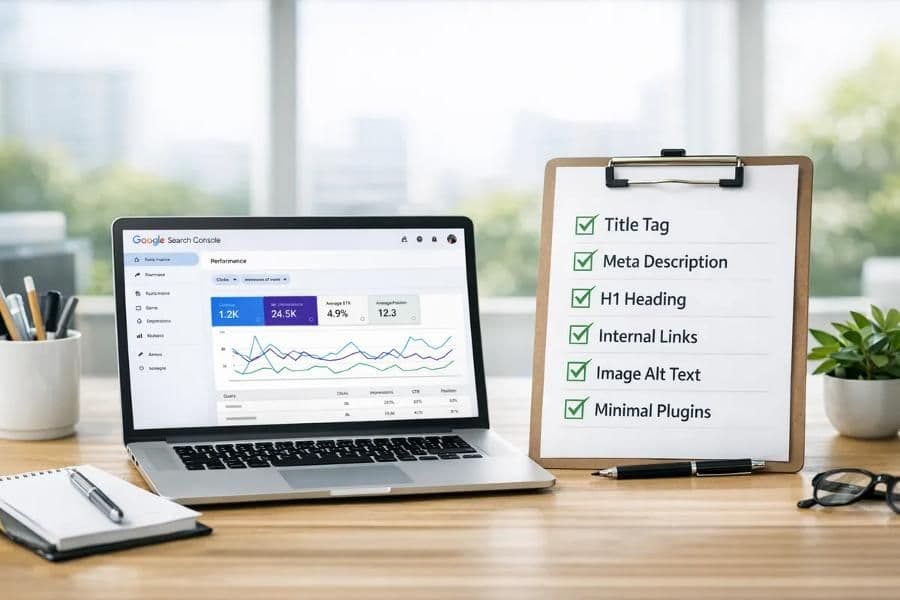
Launching a new website is an exciting step for any business. But once your website goes live, there is another important question: how will people find it?
You might have a professional design, useful services, and great content, but that does not automatically mean your website will appear on Google. Search engines need to discover your pages, understand what your business offers, and determine which searches your content is relevant to.
This is where Search Engine Optimization (SEO) comes in.
SEO helps improve your website's visibility in organic search results, making it easier for potential customers to discover your products, services, or business online. Whether you are launching a small business website, an e-commerce store, a startup website, or a global service business, knowing how to do SEO for a new website early on can help you build a stronger online presence.
The good news? You do not need to be an SEO expert to get started. When planning SEO for new websites, following a clear framework prevents common pitfalls and accelerates organic discovery.
In this guide, we will walk through 10 practical steps to help you optimize a new website, improve its chances of appearing in Google Search, and build a foundation for long-term organic growth.
1. Set Up Google Search Console and Google Analytics
Before working on keywords or publishing blog posts, make sure you can measure your website's performance.
Google Search Console helps you understand how Google discovers and indexes your website. It also provides information about search impressions, clicks, search queries, and indexing issues. Completing your Google Search Console setup and verifying property ownership is step zero for any web project.
Google Analytics helps you understand what visitors do after reaching your website, including which pages they visit and whether they complete important actions.
What you should do:
- Add your website to Google Search Console and verify ownership (via DNS TXT record or HTML tag).
- Submit your XML sitemap (typically found at
/sitemap.xml). - Check the Page Indexing report for errors or crawl anomalies.
- Connect Google Analytics 4 (GA4) to measure website traffic and user engagement.
- Track important conversion actions such as contact form submissions, phone calls, and WhatsApp clicks.
Why it matters: Without tracking, it becomes difficult to know whether your SEO efforts are bringing more visitors or generating real business enquiries.
2. Find the Right Keywords for Your Business
Keyword research is one of the most important parts of SEO for new websites.
Think about what your potential customers would type into Google when looking for your products or services. Someone searching for general information may use a completely different phrase from someone ready to hire a service provider.
For example, a business looking for a website developer might search for "website development company," while someone with a specific requirement might search for "custom website development for small businesses." The second phrase reveals far more about the user's specific needs and buying intent.
How to approach keyword research for beginners:
- Use Google Keyword Planner to explore search terms and estimated search volumes.
- Check Google autocomplete, "People Also Ask," and related search suggestions.
- Review competitors' service pages and blog topics to find content gaps.
- Use Google Search Console to identify new queries once your website starts receiving impressions.
- Look for relevant long-tail keywords that match your services and target audience.
- Organize your keywords by search intent: informational, commercial, and transactional.
For example, "how to improve website SEO" is informational, while looking for professional SEO services for small businesses is closer to a commercial search.
Pro Tip: Do not target every keyword on a single page. Give each important service page or blog post a clear topic and purpose.
3. Create Clear, SEO-Friendly Page Titles and Meta Descriptions
Your page title helps search engines and users understand what a page is about. The meta description provides a useful summary that encourages people to click through to your website from search engine results pages (SERPs).
Every important page should have a unique, descriptive title and a relevant meta description.
For example:
- Page title:
SEO Services for Small Businesses | Joy Digital - Meta description:
Improve your website's search visibility with practical SEO strategies, technical optimization, and content tailored to your business goals.
Best practices to follow:
- Avoid using the same title on every page or repeating keywords unnaturally.
- Keep page titles concise (typically between 50 to 60 characters) so they do not get truncated in search snippets.
- Write titles that accurately describe the page, and make your meta descriptions useful to real people.
- Remember that Google may generate an alternate search snippet depending on the query, so a meta description does not guarantee the exact text shown in results, but it remains a crucial click-through signal.
4. Optimize Your Website Content and Headings
Good website content should help visitors understand your business and make informed decisions. Implementing proven on-page SEO best practices ensures your message resonates with both readers and search algorithms.
Use one clear main heading (H1) to describe the page's primary topic. Organize supporting sections with H2 and H3 headings where appropriate.
Include your primary keyword naturally in relevant places, such as the page title, main heading, introduction, and selected subheadings. Do not force it into every paragraph.
For a business website, make sure your main pages explain:
- What your business does: Clear, jargon-free overview of your domain.
- Which products or services you offer: Detailed breakdown of features, deliverables, and outcomes.
- Who your services are designed for: The exact audience, industry, or customer profile you serve.
- What makes your approach useful: Unique value propositions, methodology, or differentiators.
- How visitors can contact you or take the next step: Clear call-to-action buttons, consultation booking, or direct messaging.
For blog posts, answer the reader's question directly and provide practical information instead of writing lengthy paragraphs simply to include keywords.
Remember: Helpful, original, people-first content is far more valuable than content created only to satisfy a keyword checklist.
5. Make Sure Google Can Find and Index Your Pages
A new website may take time to appear in Google Search. Publishing a page does not guarantee that Google will crawl or index it immediately.
Indexing issues can occur because of technical settings, blocked resources, incorrect canonical tags, duplicate URLs, or pages with little useful content. Learning how to get a new website indexed reliably requires a quick technical review.
Follow this technical SEO checklist for indexing:
- Open Google Search Console.
- Use the URL Inspection tool to check important website pages.
- Review whether the URL is indexed and inspect any reported crawl or rendering issues.
- Confirm that the page is not accidentally blocked by
robots.txtor anoindexmeta tag. - Check that the canonical URL (
<link rel="canonical">) points to the correct, authoritative version of the page. - Submit your XML sitemap through Google Search Console.
- Request indexing for important new or updated URLs when appropriate.
- Ensure strong internal linking from your homepage and primary navigation so search engine bots can discover new content effortlessly.
If your platform requires advanced structural configurations or indexation debugging, professional SEO Services can help audit server headers, crawl budgets, and canonical paths.
Note: Requesting indexing is not an automatic guarantee of inclusion or ranking. If a page remains unindexed, investigate the reported reason (such as "Crawled - currently not indexed") instead of repeatedly resubmitting the same URL.
6. Improve Website Speed and Mobile Experience
Many people browse websites on smartphones and variable internet connections. If your website is difficult to use, displays intrusive layout shifts, or takes too long to load, visitors will bounce before finding the information they need.
Website performance also directly affects search visibility through Google's Core Web Vitals, although good speed alone will not guarantee high rankings without strong content relevance.
Ways to improve website performance:
- Compress images: Convert large photos to modern formats such as WebP or AVIF.
- Eliminate code bloat: Remove unnecessary JavaScript libraries, unused CSS, and heavy third-party plugins.
- Leverage caching and CDNs: Utilize browser caching and high-speed Content Delivery Networks to deliver assets from edge locations closest to the user.
- Reduce layout shifts: Reserve explicit width and height dimensions on images and banners to avoid elements shifting unexpectedly while loading.
- Mobile-friendly UI: Make buttons, menus, and contact forms easy to tap and navigate on touchscreens.
- Benchmark Core Web Vitals: Test important pages regularly using Google PageSpeed Insights to measure Largest Contentful Paint (LCP), Interaction to Next Paint (INP), and Cumulative Layout Shift (CLS).
Modern frameworks like Next.js deliver built-in image optimization and server-side rendering. If your current site is held back by slow templates, explore custom Web Development engineered for sub-second load times.
A fast website should also be useful and accessible. Do not sacrifice clear navigation, typography readability, or essential content just to chase a synthetic score.
7. Create Valuable Blog Content
Blogging can help a new website reach people who are searching for answers, comparisons, and practical advice related to your industry.
For example, a web development and digital agency might publish articles such as:
- How to Choose the Right Website Development Company
- How Much Does a Business Website Cost?
- How to Improve SEO for a Small Business Website
- Why Website Speed Matters for Online Businesses
- How to Generate More Leads Through Your Website
Best practices for content creation:
- Choose topics that match your audience's real questions and connect naturally to your core products or services.
- Give each article a clear purpose, an informative introduction, structured subheadings, and actionable advice.
- Add relevant examples, original data, and practical workflows wherever possible.
- Link blog posts to relevant service pages so readers can explore professional assistance when they are ready.
You do not need to publish a new article every single day. Consistently publishing well-researched, useful content and updating existing articles is a far more sustainable approach than churning out large amounts of thin, repetitive content.
8. Use Internal Links and Optimize Images
Internal linking connects related pages on your website. It helps visitors discover more information and gives search engines additional contextual paths to understand your content hierarchy.
For example, an article explaining website SEO can link to your dedicated SEO Services page, while an article discussing web architecture can link to your Web Development portfolio.
Use descriptive anchor text that explains what the destination page covers. Avoid generic links such as "click here" or "read more" when a meaningful description benefits both the reader and search engines.
Image SEO checklist:
- Use descriptive filenames: Name files contextually (e.g.,
new-website-seo-guide.webpinstead ofIMG_9021.jpg). - Write meaningful alt text: Describe the image's function or visual subject accurately for screen readers and search bots.
- Compress images: Keep file sizes small to maintain rapid page rendering.
- Responsive sizing: Serve properly scaled image dimensions across desktop and mobile screens.
- Contextual placement: Place images near the paragraphs they visually illustrate.
Alt text tip: Alt text should describe the image's purpose, not serve as a dumping ground for unrelated keywords. Purely decorative elements should use empty alt attributes (
alt="") so assistive technology skips them.
9. Build Trust and Earn Relevant Backlinks
Backlinks are links from other external websites pointing to yours. Relevant, editorially earned backlinks signal to Google that other industry authorities vouch for your content and reputation.
However, not every backlink is beneficial. Buying bulk packages of low-quality directory links, automated comment links, or participating in private link networks can trigger algorithmic penalties rather than sustainable rankings.
Instead, focus on building genuine industry relationships and publishing assets worth referencing.
Practical ways to earn legitimate backlinks:
- Publish original research, industry benchmarks, or in-depth instructional guides.
- Contribute expert insights, guest commentary, or interviews to reputable publications.
- Collaborate with complementary business partners, vendors, and industry associations.
- Get listed in curated professional business directories and local chamber listings.
- Create real case studies demonstrating proven client outcomes and methodologies.
- Share your expertise freely in professional communities where potential clients and peers interact.
Make sure your website also communicates trust through transparent business details: clear physical address or service areas, visible contact channels, transparent pricing or service overviews, and authentic customer testimonials.
For a new website, quality and relevance will always outperform a high volume of spammy backlinks.
10. Monitor SEO Performance and Improve Every Month
SEO is not a one-time project; it is an ongoing growth discipline. Once your website is live and indexed, ongoing website SEO optimization ensures you capitalize on emerging search trends and fix technical issues promptly.
Key metrics to review in Google Search Console:
- Total search impressions and clicks: Track whether your overall search footprint is expanding.
- Queries generating visibility: Discover which terms bring people to your site and uncover new topic ideas.
- Top landing pages: Identify which pages capture the bulk of organic traffic.
- Average Click-Through Rate (CTR): Evaluate whether your meta titles and descriptions compel users to click.
- Indexing and coverage reports: Identify any newly surfaced crawl errors or mobile usability warnings.
Complement Search Console with Google Analytics to monitor on-site engagement, average session duration, bounce rates, and lead conversion milestones.
Diagnostic checklist:
- If a page earns plenty of impressions but few clicks, refine its title tag and meta description to align better with search intent.
- If a page is not indexed, inspect technical barriers, thin content flags, or canonical misconfigurations.
- If a page receives consistent traffic but zero inquiries, evaluate page speed, trust factors, copy clarity, and call-to-action prominence.
Regularly refresh older articles as industry facts evolve, strengthen internal linking to newer posts, and address real customer questions as they arise.
New Website SEO Checklist
Before considering your initial SEO setup complete, review this comprehensive new website SEO checklist to ensure your foundation is rock solid:
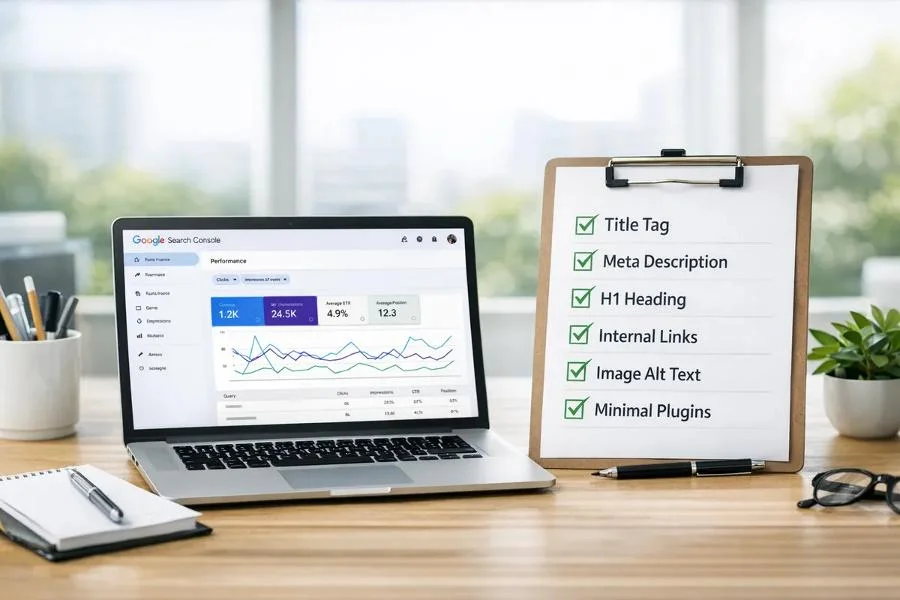 A practical 10-step SEO checklist for improving a new website's search visibility.
- Google Search Console verified: Ownership confirmed via DNS or HTML tag.
- Google Analytics configured: GA4 property installed with custom conversion event tracking.
- XML sitemap submitted: Verified and submitted in Search Console (
/sitemap.xml). - Important pages checked for indexing: URL inspection completed for all primary URLs.
- Unique page titles and meta descriptions written: Tailored to search intent without truncation.
- Keyword research completed: Targeted primary and secondary terms mapped to dedicated pages.
- Website tested on mobile devices: Responsive layouts, legible typography, and touch-friendly controls.
- Page speed and Core Web Vitals reviewed: Optimized images, minimal third-party scripts, fast LCP.
- Useful original content published: High-value, people-first copy answering user queries.
- Internal links and image alt text checked: Descriptive anchor text and meaningful alt attributes.
- Relevant backlink opportunities identified: Industry directories, PR opportunities, and resource guides.
- SEO performance monitoring scheduled: Monthly cadence established for Search Console analysis.
Need an instant audit? Run your URL through our Free SEO Audit Tool to identify technical crawl errors, mobile responsiveness issues, and metadata gaps in seconds.
How Long Does SEO Take for a New Website?
There is no fixed or guaranteed timeline for SEO results. Understanding how to rank a new website on Google requires setting realistic expectations:
- Discovery & Indexing (Weeks 1 to 4): Search engines crawl your sitemap, discover core pages, and begin indexing eligible URLs.
- Initial Impressions (Months 1 to 3): Your website begins registering impressions in Google Search Console for low-competition long-tail keywords.
- Traffic & Engagement (Months 3 to 6): As content relevance and domain authority compound, target pages start climbing toward the first few pages of search results, attracting qualified organic clicks.
- Competitive Rankings & Conversions (Months 6 to 12+): Consistent publishing, technical hygiene, and earned backlinks help your platform compete for higher-volume commercial terms.
Your exact progress depends on competitive density in your niche, website quality, technical accessibility, content uniqueness, and the authority your domain earns over time.
Instead of expecting overnight rankings, focus on consistent, measurable progress: getting important pages indexed, earning relevant impressions, improving click-through rates, attracting qualified visitors, and generating customer enquiries.
Final Thoughts
Doing SEO for a new website is not about stuffing as many keywords as possible into a page or trying to find shortcuts to the top of Google. It is about making your website accessible to search engines, useful to human visitors, and relevant to the people seeking your solutions.
Start with the technical basics, research the search phrases your target audience uses, craft helpful original content, ensure a seamless mobile experience, and monitor your results. Then, use those insights to make strategic improvements month after month.
Whether you are launching a startup, building an online store, or scaling an established business, a structured SEO strategy builds an enduring digital asset that delivers organic leads for years to come.
Need Help With Your Website SEO?
Not sure whether your website is technically sound, properly indexed, or optimized for the right keywords?
Joy Digital helps businesses worldwide improve their online presence through custom website development, technical SEO, on-page optimization, and high-performance web architecture.
Get started with a comprehensive audit to uncover technical bottlenecks, indexing issues, and high-impact keyword opportunities tailored to your business goals.
- Claim your audit: Request your Free Website & SEO Audit today.
- Explore our services: Discover our end-to-end SEO Services and custom Web Development.
- Direct consultation: Visit https://www.joydigital.in/ or chat with Joy Digital on WhatsApp.
Let's build a website engineered to help your business grow!
Frequently Asked Questions
1. How do I start SEO for a new website?
Start by setting up Google Search Console, submitting your XML sitemap, checking indexing status, researching relevant keywords, and optimizing foundational pages with clear meta titles and headings. Then publish useful content consistently and monitor search performance.
2. Is SEO free for a new website?
You can do many SEO tasks yourself without paying for SEO tools or advertising. However, professional SEO services, premium tools, content production, and technical development may involve costs.
3. How do I get my new website indexed by Google?
Verify your website in Google Search Console, submit your sitemap, inspect important URLs, and fix crawling or indexing issues. Google decides whether and when to index each eligible page based on technical accessibility and content value.
4. How many keywords should I target on one page?
There is no fixed number. Focus on one clear primary topic and naturally cover 3 to 5 closely related terms that help answer the user's question completely. Avoid creating repetitive or thin content just to force in more keywords.
5. Can a new website rank on Google without backlinks?
Yes, a new website can appear in Google Search without having backlinks, especially for low-competition, long-tail search queries. However, competition, content quality, relevance, and earned authority affect how well your pages rank for competitive phrases.
6. What is the most important SEO task for a new website?
There is no single task that guarantees success. Making important pages accessible and indexable, publishing helpful original content, matching search intent, and improving user experience and page speed all contribute to a strong SEO foundation.
Recommended Services & Solutions
Frequently Asked Questions

Digital marketing strategist and Next.js web developer focusing on search optimization, technical SEO architecture, and conversion rate growth.