
Introduction to Modern Headless Web Development
Decoupling WordPress to build a modern React-based frontend using Next.js allows engineering teams to keep content editing workflows intact while delivering exceptional user experiences. Traditional monolithic WordPress sites often struggle with slow server response times, bloated plugin dependencies, and difficult-to-maintain PHP templates.
If your team loves WordPress for content creation but needs faster performance, this technical guide provides a clear walkthrough for how to migrate WordPress to Next.js without breaking production workflows or sacrificing organic search rankings.
By the end of this guide, you will understand how to establish a decoupled headless architecture, configure WPGraphQL integration, fetch data within the Next.js App Router, and leverage Incremental Static Regeneration (ISR) to achieve sub-second page loads globally.
The Decoupled Architecture Blueprint
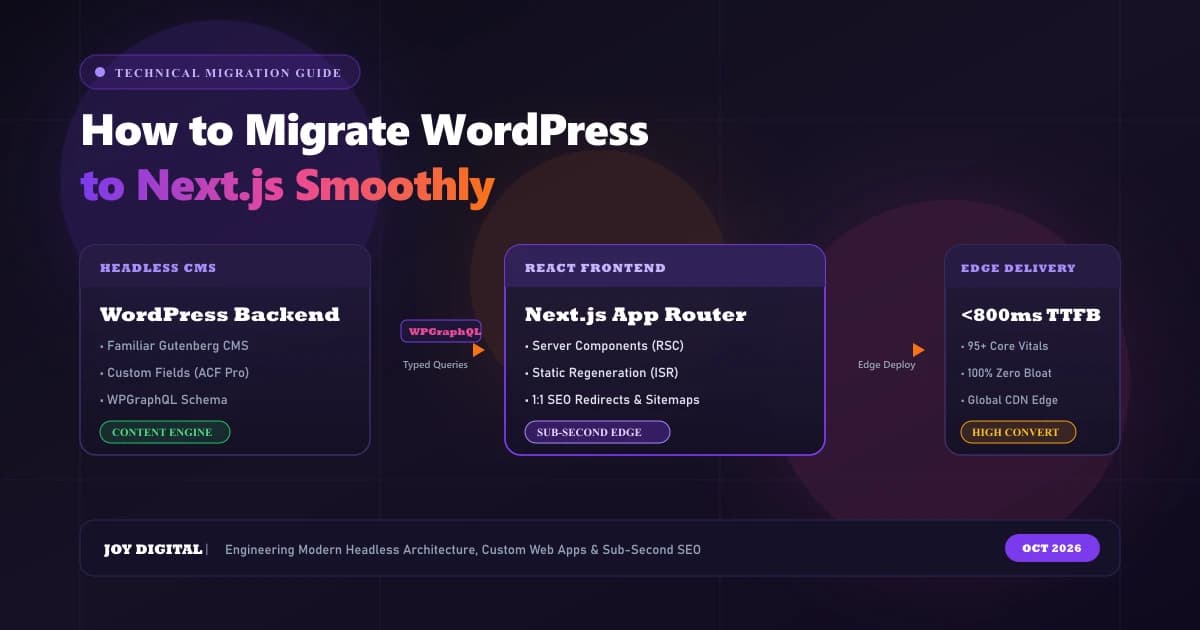
In a decoupled (headless) setup, WordPress ceases to handle HTML rendering, CSS stylesheets, or browser routing. Instead, it operates strictly as a headless API engine. Next.js handles all client-facing requests, executing React Server Components (RSC) and distributing pre-rendered pages across global Edge CDN nodes.
+-----------------------------------------------------------+
|                      WordPress CMS                        |
|  +-------------------+             +--------------------+ |
|  |  Content Editors  |  -------->  |  WPGraphQL Plugin  | |
|  +-------------------+             +--------------------+ |
+--------------------------------------------|--------------+
                                             | GraphQL Queries
                                             v
+-----------------------------------------------------------+
|                    Next.js Frontend                       |
|  +-------------------+             +--------------------+ |
|  | App Router & SSG  |  -------->  |  Global Edge CDN   | |
|  +-------------------+             +--------------------+ |
+-----------------------------------------------------------+
Step 1: Preparing WordPress as a Headless Backend
To turn WordPress into a reliable headless API engine, you must eliminate runtime visual themes, disable unnecessary frontend scripts, and expose your data layer cleanly and securely.
Essential WordPress Plugins to Install
- WPGraphQL: Replaces standard REST endpoints with a performant, predictable GraphQL API. It allows your frontend to query only the precise data fields required by your React components, eliminating over-fetching.
- WPGraphQL for Advanced Custom Fields (ACF): Exposes your structured custom meta fields directly inside your GraphQL schema so complex landing page layouts can be mapped directly to React props.
- Headless Mode: Redirects accidental public visitors and search engine bots from your backend WordPress domain directly to your production Next.js application URL.
- WPGraphQL Smart Cache (Optional but Recommended): Adds HTTP-level caching and cache invalidation hooks to keep backend API latency under 100ms.
Once configured, verify your GraphQL endpoint by navigating to:
https://your-cms-domain.com/graphql
You can use the built-in GraphiQL IDE inside the WordPress admin panel to test queries before writing frontend code.
Step 2: Querying Data in Next.js
With your GraphQL endpoint active, configure your Next.js application to communicate with WordPress. In modern Next.js architectures, data fetching is executed on the server, ensuring API keys and internal backend URLs are never leaked to the client browser.
Create a dedicated GraphQL client utility in lib/graphql.ts:
// lib/graphql.ts

const API_URL = process.env.WORDPRESS_API_URL || 'https://cms.yourdomain.com/graphql';

interface FetchAPIOptions {
  variables?: Record<string, any>;
  revalidate?: number | false;
}

export async function fetchAPI(
  query: string,
  { variables, revalidate = 60 }: FetchAPIOptions = {}
) {
  const headers: Record<string, string> = {
    'Content-Type': 'application/json'
  };

  // Optional: Add basic authentication if your endpoint is private
  if (process.env.WORDPRESS_AUTH_REFRESH_TOKEN) {
    headers['Authorization'] = `Bearer ${process.env.WORDPRESS_AUTH_REFRESH_TOKEN}`;
  }

  const res = await fetch(API_URL, {
    method: 'POST',
    headers,
    body: JSON.stringify({ query, variables }),
    next: {
      revalidate: revalidate // Incremental Static Regeneration (ISR)
    },
  });

  const json = await res.json();

  if (json.errors) {
    console.error('GraphQL Query Errors:', json.errors);
    throw new Error('Failed to fetch API data from WordPress backend');
  }

  return json.data;
}
This utility ensures that:
- Content updates are automatically cached at the edge.
- Next.js fetches data at build time and revalidates in the background according to your
revalidateinterval. - GraphQL query errors are captured and logged with full stack traces.
Step 3: Dynamic Page Rendering with Next.js App Router & ISR
Incremental Static Regeneration (ISR) allows you to use static generation on a per-page basis, without rebuilding your entire website. This provides the instant performance of static HTML paired with the dynamic flexibility of live CMS data.
Here is an enterprise implementation for dynamic blog routes in app/blog/[slug]/page.tsx:
// app/blog/[slug]/page.tsx

import { notFound } from 'next/navigation';
import type { Metadata } from 'next';
import Image from 'next/image';
import { fetchAPI } from '@/lib/graphql';

interface PageProps {
  params: Promise<{ slug: string }>;
}

// 1. Fetch Post Data from WPGraphQL
async function getPostData(slug: string) {
  const data = await fetchAPI(`
    query PostBySlug($id: ID!) {
      post(id: $id, idType: SLUG) {
        title
        content
        date
        excerpt
        featuredImage {
          node {
            sourceUrl
            altText
          }
        }
        author {
          node {
            name
          }
        }
      }
    }
  `, {
    variables: { id: slug },
    revalidate: 60 // Revalidate every 60 seconds
  });

  return data?.post;
}

// 2. Generate Dynamic SEO Metadata
export async function generateMetadata({ params }: PageProps): Promise<Metadata> {
  const { slug } = await params;
  const post = await getPostData(slug);

  if (!post) return {};

  return {
    title: `${post.title} | Joy Digital`,
    description: post.excerpt?.replace(/<[^>]*>?/gm, '').slice(0, 160),
    openGraph: {
      title: post.title,
      images: post.featuredImage?.node?.sourceUrl ? [post.featuredImage.node.sourceUrl] : [],
    },
  };
}

// 3. Render Post Component
export default async function BlogPostPage({ params }: PageProps) {
  const { slug } = await params;
  const post = await getPostData(slug);

  if (!post) {
    notFound();
  }

  return (
    <main className="max-w-4xl mx-auto px-6 py-16">
      <header className="mb-10">
        <h1 className="text-3xl sm:text-5xl font-black text-slate-900 tracking-tight mb-4">
          {post.title}
        </h1>
        <div className="flex items-center gap-4 text-sm text-slate-500 font-medium">
          <span>By {post.author?.node?.name || 'Editorial Team'}</span>
          <span>•</span>
          <time dateTime={post.date}>{new Date(post.date).toLocaleDateString()}</time>
        </div>
      </header>

      {post.featuredImage?.node?.sourceUrl && (
        <div className="relative w-full h-[400px] mb-10 rounded-2xl overflow-hidden shadow-lg">
          <Image
            src={post.featuredImage.node.sourceUrl}
            alt={post.featuredImage.node.altText || post.title}
            fill
            sizes="(max-width: 1024px) 100vw, 896px"
            priority
            className="object-cover"
          />
        </div>
      )}

      {/* Render Clean HTML from WordPress */}
      <article
        className="prose prose-lg prose-purple max-w-none leading-relaxed text-slate-700"
        dangerouslySetInnerHTML={{ __html: post.content }}
      />
    </main>
  );
}
Step 4: Critical Post-Migration Best Practices
A successful headless migration requires more than just fetching JSON data. To protect organic traffic, prevent broken links, and maximize performance, adhere to these technical standards:
1. Image Optimization & Remote Patterns
WordPress media uploads are hosted on your backend subdomain. In your next.config.ts, allow Next.js's image optimization engine to process images from your WordPress media library:
// next.config.ts
import type { NextConfig } from 'next';

const nextConfig: NextConfig = {
  images: {
    remotePatterns: [
      {
        protocol: 'https',
        hostname: 'cms.yourdomain.com',
        pathname: '/wp-content/uploads/**',
      },
    ],
  },
};

export default nextConfig;
2. Preserving SEO Equity with 301 Redirects
When restructuring URLs from WordPress archives or old category taxonomies, configure server-level 301 permanent redirects in next.config.ts:
async redirects() {
  return [
    {
      source: '/category/:slug*',
      destination: '/blog/category/:slug*',
      permanent: true,
    },
  ];
}
3. Automated Sitemaps & Canonical Tags
Ensure your Next.js application exports an automated sitemap.xml that pulls all published post slugs from WPGraphQL and declares strict canonical tags to prevent duplicate indexing between your CMS subdomain and your primary frontend.
Strategic Checklist for Execution
Use this systematic checklist when planning and executing your WordPress to Next.js migration:
- Install and configure WPGraphQL on WordPress
- Set up ACF to GraphQL field mappings
- Configure Next.js environment variables for local & production builds (
WORDPRESS_API_URL) - Set up dynamic route generation using Next.js App Router params
- Implement image optimization via
next/imagewith domain allowlists - Map 301 redirects and canonical URLs for preserved SEO value
- Deploy frontend to Edge network infrastructure (e.g. Vercel, Cloudflare, or AWS Amplify)
- Run automated Lighthouse audits to verify sub-second LCP and 95+ Core Web Vitals scores
Engineering Custom Web Solutions with Joy Digital
Executing an enterprise-grade migration requires technical precision. At Joy Digital, our specialized full-stack engineers refactor monolithic WordPress platforms into scalable, sub-second Next.js web applications.
Our team manages every aspect of technical implementation—from complex database schema mappings to optimizing edge delivery—ensuring your platform is secure, adaptable, and optimized for high-intent customer conversions.
Elevate Your Frontend Architecture Today
Ready to modernize your infrastructure and eliminate web performance bottlenecks? Discover how our Next.js Development Agency services and WordPress to Next.js Migration team help tech-forward businesses engineer high-performance web products built for growth.
Claim your Free Website & SEO Audit or Contact Joy Digital today to discuss your migration roadmap.
Recommended Services & Solutions
Frequently Asked Questions

Founder of Joy Digital. Specializing in high-performance Next.js engineering, headless WordPress migrations, and technical SEO architectures for international brands.